FigTree Download & Setup Guide (Windows, Mac, Linux), 2026
FigTree v1.4.4 release is now eight years old, but it’s still widely used because it’s simple and fast. This guide covers the cleanest way to download and install FigTree in 2026, plus settings and fixes that will help you.
Official Download
The official source is Andrew Rambaut’s GitHub releases:
→ https://github.com/rambaut/figtree/releases
Currently, there’s a v1.5.0 beta (May release) - with some changes for modern Mac environments. Sticking to v1.4.4 should be fine unless it’s not working for you (then follow the same steps for a newer release).
FigTree is a Java application. You need a working Java Runtime (JRE or JDK) installed.
Installation
Windows
- Download the latest FigTree executables from release page .
- Extract the archive into a folder.
- Make sure you have Java runtime installed .
- Double-click the
figtree.jarfile inside lib folder. - The folder should contain two tree files -
influenza.treeandcarnivore.tree. Open thecarnivore.treefrom FigTree menu.
Mac
- Download the latest release dmg file .
- If you get the “app can’t be opened because it is from an unidentified developer” warning: Go to System Settings → Privacy & Security. Scroll down and click Open Anyway
- Alternatively, run from Terminal:
Bashjava -jar FigTree*.jarLinux
- Download the tgz release file
- Extract contents and try running it directly or click the jar executable.
./bin/figtreeIf you get a Java version error, install a recent OpenJDK.
# Ubuntu/Debian
sudo apt install openjdk-17-jre

# Fedora
sudo dnf install java-17-openjdk
First Look
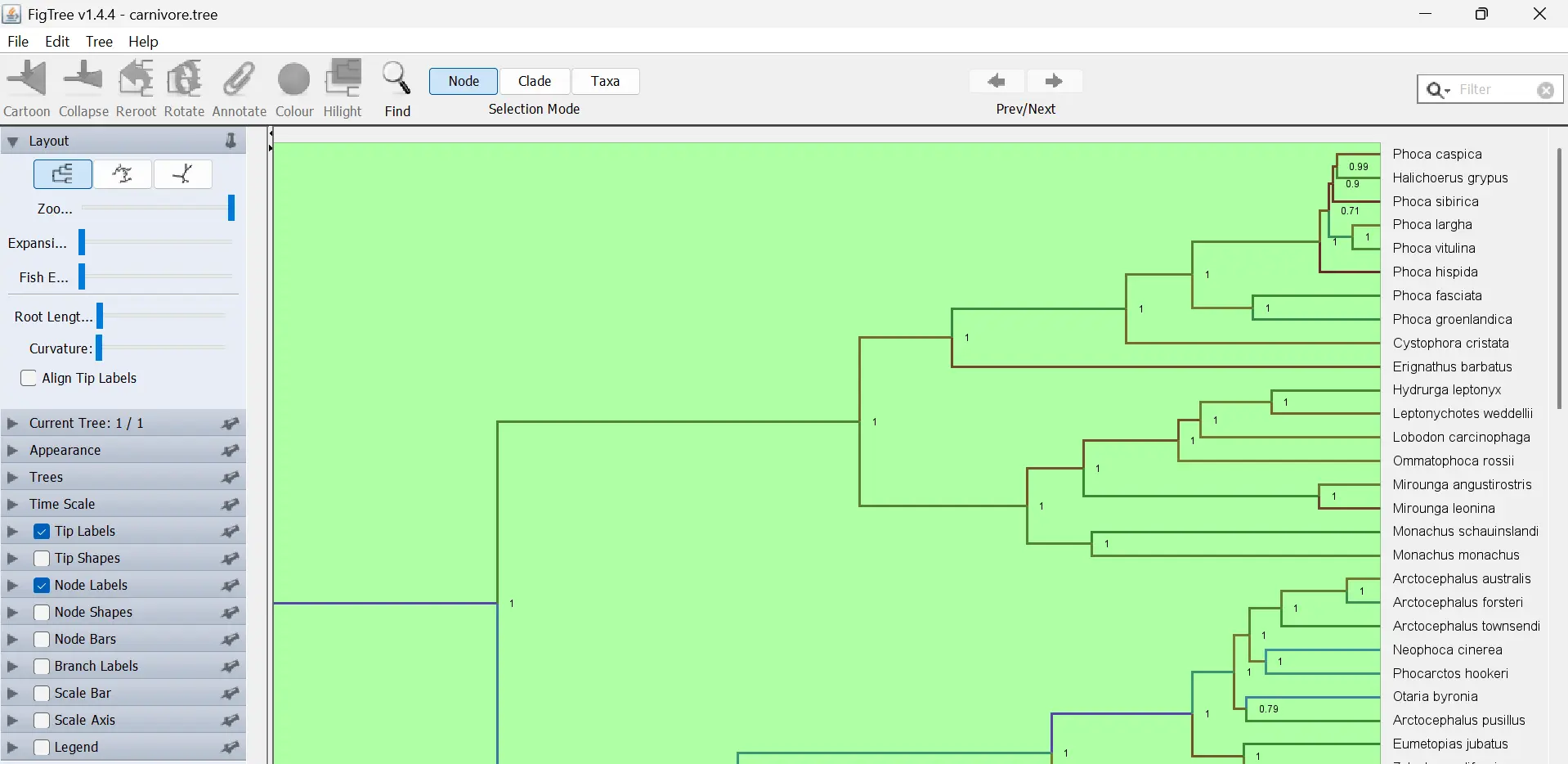
When you open a tree (Newick .tree, .nwk, or NEXUS), you’ll see the classic FigTree interface.
Recommended settings:
- Tip Labels → Font size 10-12 for most trees
- Node Labels → Show bootstrap / posterior probability values
- Scale Bar → Turn on
Useful Features
- Rooting the Tree
- Midpoint root: Trees → Midpoint Root
- Exporting High-Quality Figures
Best options:
SVG: Best for editing later in Inkscape/Illustrator PDF: Good for papers PNG
Go to File → Export PDF or Export SVG or Export Trees
Common Problems & Fixes
- FigTree won’t open / “Java not found”
- Install a recent Java (11 or 17 recommended)
- On Windows, make sure java is in your PATH
- Try running from terminal to see the exact error
- Tree looks messy / labels overlapping
- Reduce font size
- Switch to Radial layout for large trees
- Use Trees → Transform Branches → Proportional or Equal
- Export looks low quality
- Export to SVG or PDF when possible
- Menu Text too tiny
- Increase display scale from your OS settings.
Alternatives
| Tool | Good for | Notes |
|---|---|---|
| iTOLOnline | online, interactive, annotations | good for sharing |
| ggtree | R users | customizable, steeper learning curve |
| ETE toolkit | Python users | if you already know Python |
| Dendroscope | very large trees | good alternative to figtree |
Final Tips
- For larger trees, try Dendroscope or iTOL.
- Always export to SVG if you need to change things later.